
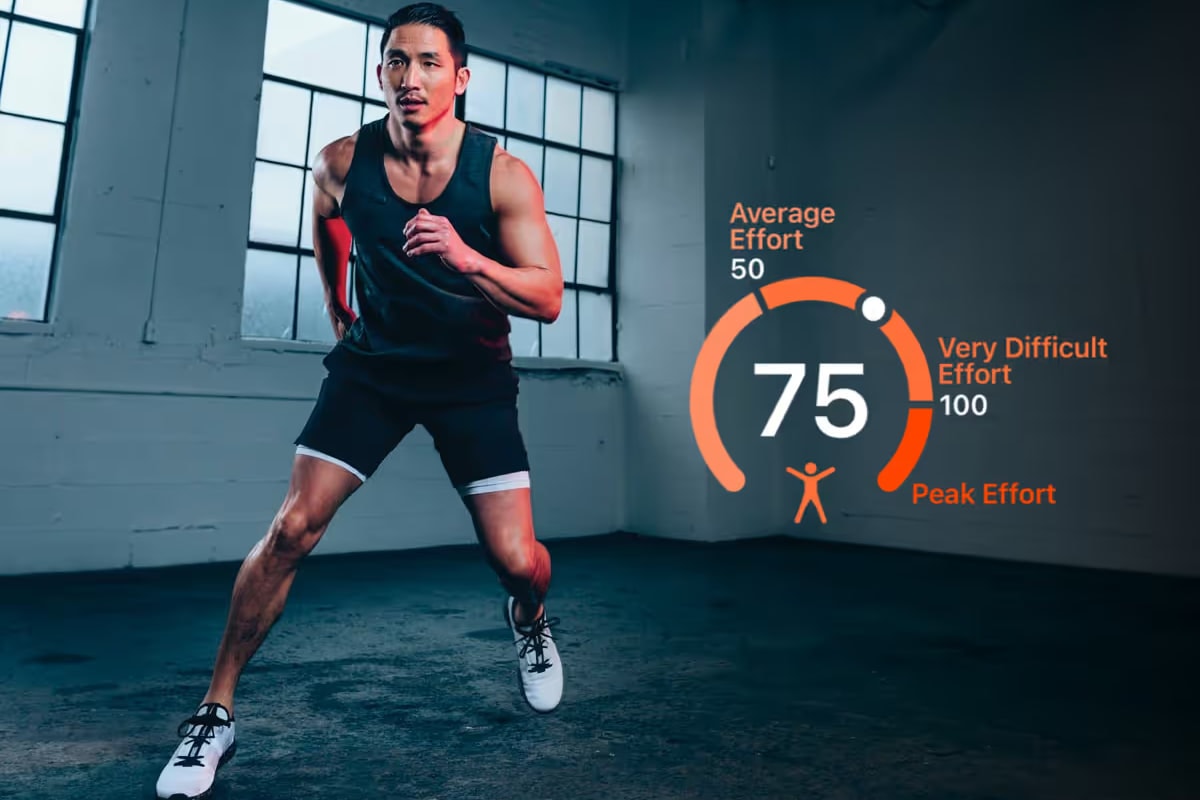
The Strain Score measures the total cumulative exertion your body experiences throughout the day. It combines the impact of both Workout Strain and Passive Strain from daily activity, offering insights into your overall effort to help you balance exertion and recovery effectively. Strain also feeds your Training Readiness, so a hard day lowers your Readiness as the day goes on and over the next few days.
What Is the Strain Score?
Strain turns your heart rate across the day into one number for how hard your body worked. The longer your heart rate stays elevated, and the higher it climbs, the more Strain you build. It resets every day at midnight, and today's score updates as you go.
Strain answers a different question from step counts or calories: not how much you moved, but how much effort that movement put on your body. That's what makes it useful for balancing exertion against recovery.
How It Is Measured
Strain is derived from heart rate data during both everyday activities and workouts, and is measured on a scale from 0 to 100+, with higher scores representing increasingly challenging efforts. The scale is logarithmic, so each extra point gets harder to earn as the day's effort builds.
- Passive Strain: accumulated from everyday movements like walking, cleaning, or light chores, as they raise your heart rate.
- Workout Strain: accumulated during recorded workout sessions such as running, cycling, or gym classes.
FITIV's Strain Score is personalized and adapts based on your daily efforts. Once you've recorded enough workouts with heart rate, it factors in your highest recent efforts and your daily average exertion, so the score reflects your current capacity.
Strain uses heart rate data in Apple Health. Apple Watch is the most common source, but heart rate from other devices that write to Apple Health counts too. Strength training counts through the heart rate it produces, not through reps or weight lifted, and steps on their own don't add Strain.
How to Optimize It
Balancing Strain with adequate rest supports sustainable progress and helps prevent burnout. Use these levels as a guide:
| Strain | What it means |
|---|---|
| Below (0–49) | A lighter day. Good for recovery, but staying here every day may slow progress |
| Above (50–99) | 50 represents an average effort and a good baseline for consistent progress |
| Max (100 and up) | A near-maximal personal effort that will require additional recovery time |
Daily goal: when your Training Readiness is normal, aim for a Strain Score of 50 or above to support consistent fitness improvement. Surpassing 100 indicates a peak performance, so plan for extra recovery afterward.
How Strain Affects Training Readiness
Strain is one of the inputs to your daily Training Readiness, alongside Recovery, Battery, and your training load balance. A high-strain day lowers your Readiness, and so does a run of hard days, since recent strain keeps weighing on it for the next few days. Strain never raises Readiness on its own; it shows how much of your recovery you've already spent.
That's the balance Strain helps you manage: push when your Readiness is high, and let a big Strain day be followed by an easier one.
Strain vs. Training Load
Strain and training load both come from your effort, but they answer different questions:
- Strain is about today: how much exertion your body has taken on since midnight, including everyday activity.
- Training load is about your workouts over weeks: your short- and long-term load and how they compare, so you can build fitness without overreaching.
Use Strain for day-to-day decisions and training load for planning your training blocks.
Where You'll See Strain
- Today screen: the Strain gauge sits next to your Recovery and Sleep scores. Tap it for the full Strain view.
- Strain detail: a 30-day chart with your moving average, your 30-day best and average, a Strain heat map of recent months, and your heart rate and Activity Rings for the day.
- Strain Insights: on iPhones with Apple Intelligence running iOS 26 or later, optional AI insights explain what your Strain means today.
- Apple Watch, widgets, and complications: check your Strain on your wrist or Home Screen without opening the app.
- Sharing: share your Strain Score as a card, or as part of your daily summary.
FITIV Strain vs. WHOOP Strain
WHOOP also has a Strain score, measured on a 0–21 logarithmic scale and built from cardiovascular and muscular load, using the WHOOP band (WHOOP). FITIV's Strain uses a 0–100+ scale and works from the heart rate your Apple Watch or other devices already record in Apple Health, so there's no separate band to wear. The two scales aren't interchangeable, so compare your FITIV Strain with your own history rather than with a WHOOP number. See FITIV vs. WHOOP for the full comparison.
Frequently Asked Questions
What is a good Strain Score in FITIV?
When your Training Readiness is normal, aim for 50 or above to support steady fitness gains. Below 50 is a lighter day, and above 100 is a peak effort that needs extra recovery.
Does strength training count toward Strain?
Yes, through your heart rate. Lifting raises your heart rate, and that's what Strain measures; FITIV doesn't add Strain from reps or weight lifted.
Do I need an Apple Watch for a Strain Score?
You need heart rate data in Apple Health. Apple Watch is the usual source, but heart rate from other devices that write to Apple Health counts too. Without heart rate data, FITIV can't calculate Strain, so a day you don't wear a heart rate device shows little or no Strain.
Do steps count toward Strain?
Not directly. Strain comes from heart rate, so walking adds Strain when it raises your heart rate, not from the step count itself.
Is FITIV's Strain the same as WHOOP's Strain?
No. They measure a similar idea on different scales: WHOOP uses 0–21 and also factors in muscular load, while FITIV uses 0–100+ and comes from heart rate. Compare your FITIV Strain with your own past days rather than with a WHOOP score.